
Takealot Chrome extension
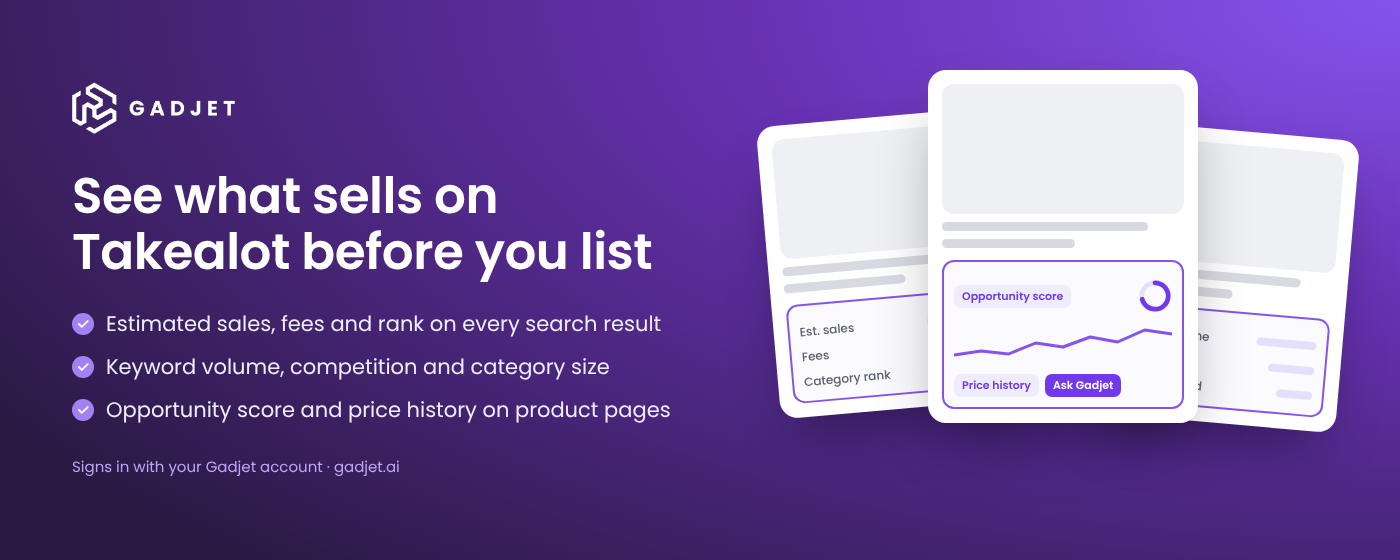
See what sells on Takealot before you list.
Inspecta Gadjet puts estimated sales, fees, keyword volume, category size and price history on the Takealot pages you already browse. No exports, no spreadsheets.
Free to install. Signs in with your Gadjet account, free plan included. Works in Chrome, Edge and Brave on a computer.
What it adds to Takealot
Search, category and seller pages
Every search result, sized up
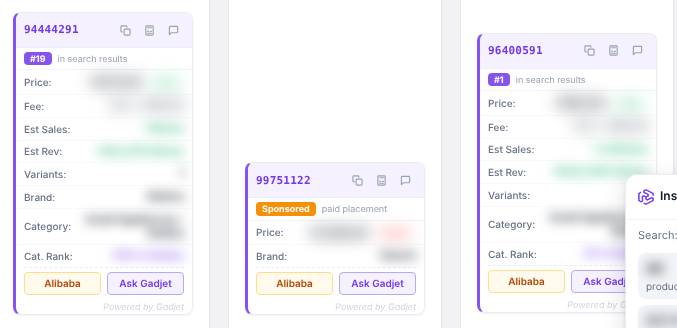
- A label on every product: estimated monthly sales and revenue, Takealot success and fulfilment fees, category, category rank and position in the results.
- Sponsored placements are marked, so you can see which positions are paid for.
- Compact mode keeps one line per product, with the full detail and a sortable table of the whole page in Chrome's side panel.
- A page summary: average price, stock, ratings and top brand. Copy every PLID, export the page to CSV, or search for suppliers on Alibaba.
Keywords
Know what shoppers search for
- The Gadjet keyword panel in Takealot's search box: as you type, Takealot's suggestions alongside keywords that start with, end with and relate to your search, each with an estimate of monthly searches and its three-month trend.
- A keyword bar on every search: monthly search volume in South Africa, competition, Gadjet IQ score and a suggested bid range.
- On the free plan the panel shows Takealot's suggestions with estimates. The other columns come with paid plans. You can switch back to Takealot's own dropdown at any time.
Categories
Size the market before you list
- A category bar on category pages: number of listings, the leading brand's share and where stock sits across Johannesburg, Cape Town and Durban.
- The estimated monthly market size in units and revenue, on request.

Product pages
Check a product in seconds
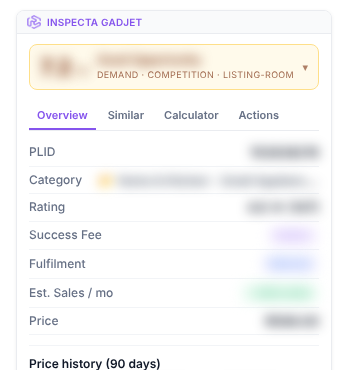
- An opportunity score combining demand, competition and room for a new listing.
- Fees, estimated monthly sales, similar products and a profit calculator on Takealot's fee schedule. Enter your landed cost and read the margin.
- Price and category-rank history for up to 90 days, where Gadjet has it. Prices include VAT.
- Create an offer on the product for one of your connected stores. Nothing is sent to Takealot until you review and confirm.
Takealot Seller Portal
Your numbers on your dashboard
- A Gadjet summary on your Seller Portal dashboard: 30-day forecast, revenue at risk, recoverable amounts and what changed since your last visit.
- Off by default. Switch it on, in a simple or detailed view, in the extension's settings.
Gadjet figures and Takealot product names are blurred in these images.
Used it before? What is new
- Rebuilt for Takealot's current site, and keeps working as you move between pages
- Gadjet keyword panel in Takealot's search box
- Keyword bar and category bar above the results
- Compact labels, with the full detail in Chrome's side panel
- Price and rank history on product pages
- Ask Gadjet on every label and panel, which opens a full analysis in chat
Chrome updates the extension automatically.
What it does not do
- It does not scan a whole category
The extension works on the page you have open. Sorting a category by demand is Market Explorer's job, in the Gadjet app.
How Market Explorer finds a product - It does not reprice
Continuous buy box monitoring and repricing run in the Gadjet repricer, within the floor prices you set.
The Gadjet repricer - It does not give exact sales figures
Estimates are model projections from Takealot's public search results. Treat them as a demand signal, not an order quantity.
How to research a product on Takealot
Install in two minutes
Add it to Chrome
Install Inspecta Gadjet from the Chrome Web Store.
Sign in to Gadjet
Sign in at app.gadjet.ai. The extension picks up your session; there is no separate password.
Open Takealot
Search for a product. The labels, keyword bar and product card appear on the page.
Rated 5.0 by Takealot sellers. 13 reviews, all five stars.
Average of 13 reviews. Updated daily from Takealot Seller Success Network.
Reviews of Gadjet, including its software and account management, on the Takealot Seller Success Network. Reviewer names are not shown.
Common questions
- Is there a Chrome extension for Takealot sellers?
- Yes. Inspecta Gadjet adds estimated sales, fees, keyword volume, category size and price history to takealot.com search, category, seller and product pages, and a summary to your Takealot Seller Portal dashboard.
- Do I need a Gadjet account?
- Yes. The extension signs in with your Gadjet account; there is no separate extension password. Gadjet has a free plan. Estimated sales need you to be signed in; some data, such as market size and the full keyword panel, depends on your plan.
- Which browsers does it work in?
- Chrome, Edge and Brave on a computer. It does not run on phones.
- How accurate are the sales estimates?
- Estimates are model projections from Takealot's public search results. They are directional, not exact sales figures. Use them to compare products and shortlist, then confirm demand before you order stock.
- Does the extension change my prices or listings?
- No. It does not change existing prices or listings. The one action that writes to Takealot is Create an offer on a product page, and only after you review the details and confirm. Repricing runs in the Gadjet repricer, within the floor prices you set.
- What data does the extension collect?
- Only on takealot.com, sellers.takealot.com and app.gadjet.ai, and only while you are signed in: the Takealot search results and product IDs you view, so Gadjet can return estimates for them. It does not read other websites, keystrokes or payment details. See the privacy policy for the full list.
- Does it work on Amazon South Africa?
- No. The extension works on takealot.com and Takealot Seller Portal. Amazon South Africa connects to Gadjet through Seller Central in the web app.
A longer guide to using the extension for product research is on the Gadjet blog. Data handling is set out in the privacy policy.
The rest of Gadjet
Sales, fees, payouts, stock and listings for your own store.
Floor-price repricing and daily monitoring on every SKU.
The monthly claim for lost DC stock, built from your synced store.
A Gadjet account manager runs the store day to day.
Guides
Research the next product on the page you are already on.
Free to install. Plans, including a free plan, are on the pricing page.